How to turn simple ideas and reference images into custom brand assets in minutes.
Stock fills a space. Custom gives the brand a face.
For a long time, I treated 3D design as something that belonged to professionals.
You needed Blender, Maya, or another complicated tool. You needed time to learn how shapes, textures, lighting, and polygons worked. If you did not have those skills, there were only two realistic choices. Buy an existing model from a stock marketplace or pay a 3D designer to build one for you.
Both options created the same problem for me.
Buying stock models was faster, but they rarely looked like they truly belonged to my brand. The shape might be close, but the style was wrong. The colors did not match. The details felt generic. I often had to adjust my ideas to fit the assets I found.
Hiring a designer solved that problem, but introduced another one: cost.
I am not a professional 3D designer. My background is in software and business, so I care about the final result more than the technical process behind every vertex. I needed a way to create custom 3D assets without spending weeks learning professional software or paying for every small experiment.
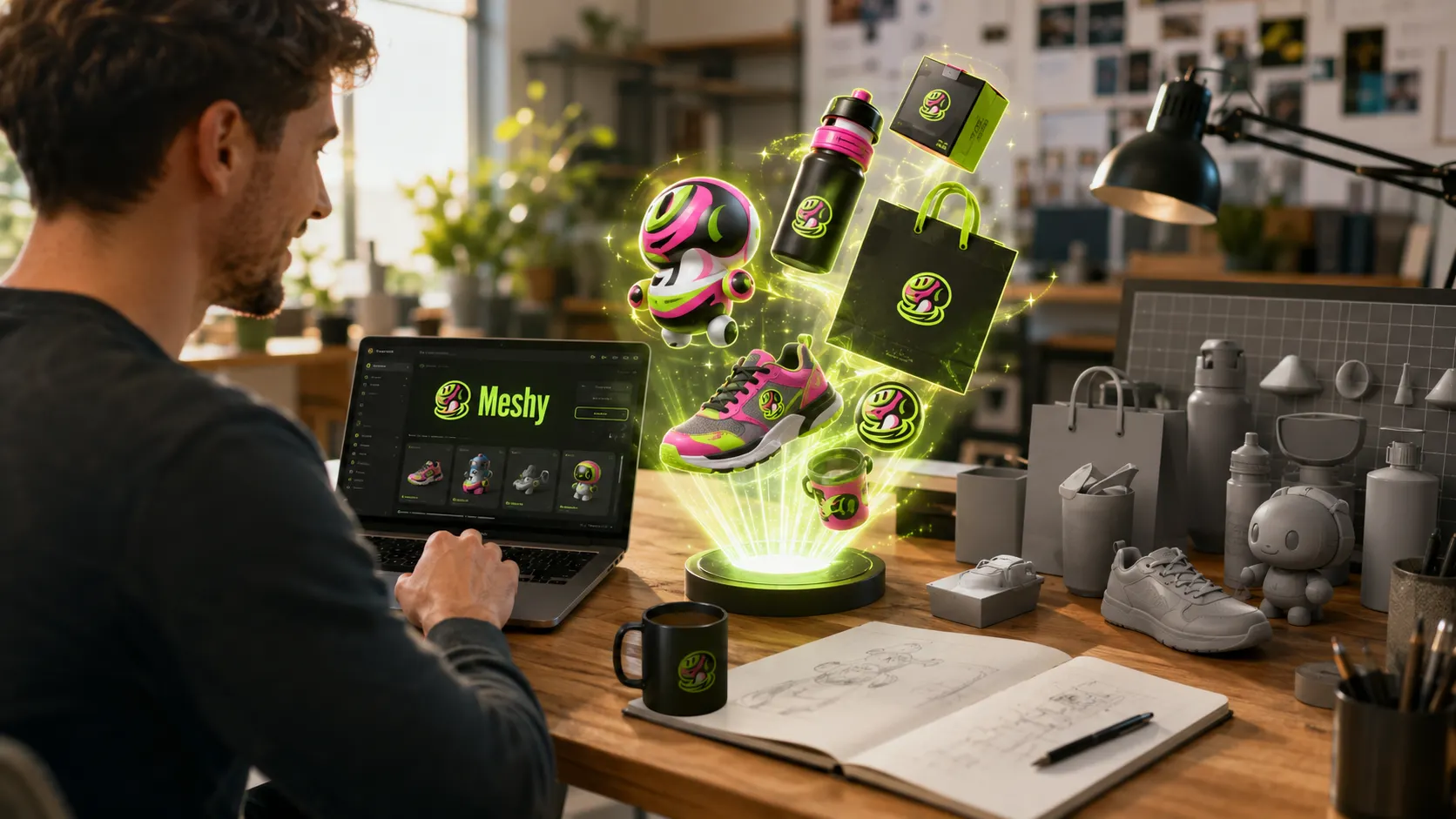
That is why I tested Meshy AI.
What surprised me was not only that it could generate a 3D model. It was how quickly I could move from a rough idea to something I could actually inspect, refine, download, and use in minutes.
Now I can focus on the business decision while delegating much of the early 3D concept work to Meshy AI. That does not mean every branding task should be automated, but it gives me a much faster way to explore ideas before spending money on final production.
The hidden cost of “almost right”
Stock 3D models often look affordable when you view them one at a time.
You find a model for $29, $39, or $49. You tell yourself it is cheaper than hiring someone, so you buy it.
Then the problems begin.
The shape is not quite right. The material does not fit your brand. The colors need changing. The file format may not match your workflow. Another company may be using the same asset. You may even spend more time trying to modify it than you saved by buying it.
Current marketplace listings show many individual stock assets around the $39 to $49 range, although prices vary widely and free models also exist.
Suppose a small campaign needs only three custom 3D assets.
At $39 each, the cost is $117.
At $49 each, it becomes $147.
Meshy Pro currently costs $20 per month and includes 1,000 credits, commercial rights, private asset ownership, faster generation, and unlimited downloads.
That creates a potential difference of $97 to $127 in one month for only three assets.
The comparison becomes even sharper when custom modeling enters the picture. Upwork currently lists typical 3D modeler rates between $17 and $30 per hour. Even a small task requiring four billed hours would cost between $68 and $120.
A professional designer may still be the right choice for an important hero asset, precise engineering work, complex animation, or a model that must meet strict production requirements. Human skill and judgment remain valuable.
But not every early idea needs a full custom production budget.
Sometimes you need to see the idea before deciding whether it deserves that investment.
That is where Meshy started making sense to me.
The first purchase is only part of the cost. A brand rarely creates one asset and leaves it untouched for a year. Products change, campaigns change, colors are updated, retailers request different formats, and managers ask for another version before approving the final direction.
Imagine that a brand needs three core assets and refreshes each one once every quarter. That means 12 asset versions across a year. If every refresh requires a replacement stock asset priced between $39 and $49, the annual cost becomes $468 to $588.
Twelve months of Meshy Pro would cost $240. If the generations stay within the monthly credit allowance, each additional version has close to zero extra cash cost. In this example, the difference is roughly $228 to $348 before counting editing time.
These were real numbers from my experience.
The same thinking applies to hired work. If the first concept takes four billed hours and three later revision rounds require two hours each, the total becomes ten hours.
At typical Upwork rates of $17 to $30 per hour, that would be around $170 to $300 for one evolving asset. The exact figure will always depend on complexity and the designer’s agreement, but the lifecycle cost matters more than the first invoice.
Brand consistency is another hidden saving
Cost was the first benefit I noticed, but consistency may matter more over time.
Stock assets from different marketplaces rarely share the same visual language. One model may use sharp industrial edges, another may use soft rounded forms, and a third may have completely different materials and proportions. Each asset can look good alone while making the brand feel confused when they appear together.
Custom generation gives a brand the chance to reuse the same creative structure across every new asset.
That structure can then be reused for a retail stand, product pedestal, website decoration, event display, or packaging concept. The object changes, but the visual language stays familiar.
This does not remove the need for a proper brand guide. It gives the guide a practical way to influence future 3D generation instead of hoping that unrelated stock assets somehow look connected.
Turn a written idea into a custom 3D asset
The first feature I tried was Text to 3D. I used Nano Banana Pro inside Meshy, which is an edge for me.
This is the simplest entry point if you don’t have a sketch or reference image. You describe the object, and Meshy generates a textured 3D model from the description.
The official text to 3D tool can generate an asset in about one minute and export it in formats including FBX, OBJ, GLB, USDZ, STL, BLEND, and 3MF.
The process is simple.
Step 1: Describe the object as if you were briefing a designer
Do not write only, “Skincare Bottles”
Describe the shape, material, mood, colors, level of detail, and intended use.
Here is the example I used.
I asked ChatGPT to generate a detailed description for an e-commerce product:
Create a realistic modular countertop retail display stand for a premium skincare brand. The stand should hold three skincare bottles and two small cream jars on raised circular platforms at different heights. Use smooth curved edges, a strong stable base, and a clean rectangular back panel with an empty area for adding a brand logo later. Use matte ivory material with soft beige details and subtle brushed gold trim. The design should feel modern, warm, elegant, and suitable for a luxury beauty store. Keep the structure practical and manufacturable, with balanced proportions and enough spacing between the products. Create the display as one isolated object with no room, floor, background, people, written text, or existing brand logos. Use realistic materials, clean geometry, and medium pol

A clearer description gives the system a better direction.

Step 2: Convert image to 3D
Select the strongest generated image and hover over it until the “Image to 3D” option appears. Click it and let Meshy convert the flat concept into a model you can rotate and inspect.

Step 3: Review before downloading
Choose the strongest result, refine it if needed, then export it in the format that fits your project.
For me, the value was not perfection from the first prompt.
It was the speed…
Instead of searching through hundreds of assets hoping to find something close, I could create a direction that began with my own idea.
Build through conversation with Meshy 3D Agent
This is one of the features I liked most. With Meshy 3D Agent, instead of giving the system one instruction and hoping for the best, you build the asset through conversation.
This feels less like using a generator and more like briefing a creative assistant.
I uploaded a sketch by my daughter and gave the agent one simple instruction:
Turn my daughter’s little monster drawing into a cute 3D model and print it as a gift for her.

The 3D Agent suggested several directions and recommended close options before building the final model.
In my test, the process involved one initial prompt and one cleanup action. First, I uploaded the sketch and asked the agent to turn it into a cute printable model. Then I removed the background with one click and chose the version that best preserved the playful character of the original drawing.
I called it “A Cute Monster” for my daughter.
How do you like it?

This is useful because choosing between visible ideas is often easier than writing the perfect description from nothing.
You can still request changes in normal language:
Make it friendlier.
Reduce the mechanical details.
Use softer shapes.
Make the head slightly larger.
Bring it closer to the brand mood.
The important difference is that I do not need to return to modeling software and search for the correct parameter every time something feels wrong. The revision happens through the conversation instead.
A practical revision sequence could be simple. The first version establishes the overall shape. The second request softens the proportions and removes distracting details. The final request prepares the model for its intended use, such as printing, animation, or a website scene. Each round has a clear purpose, rather than changing the model randomly.
In my daughter’s example, the final result was cleaner and more balanced than the raw sketch while still feeling connected to her original idea. The aim was not to replace the drawing. It was to give the drawing a physical form that could become a personal gift, like 3D printing.
After choosing a concept, the agent creates the 3D version and prepares it for export.
Depending on the project, you can take the result into Blender, Unity, Unreal Engine, a web experience, or a 3D printing workflow.
The real saving is not only money
The obvious saving is cost.
One $20 Meshy Pro subscription can cost less than a single stock asset. It can also cost far less than a few hours of custom modeling.
But the larger saving may be time and creative control.
Stock libraries force you to search through somebody else’s ideas.
Meshy lets you begin with your own.
That means fewer compromises. Faster experiments. More variations. Less fear about testing an idea that may not work.
For a small business, creator, independent developer, or marketer, that freedom matters.
The first version no longer has to be expensive.
It only has to be clear enough to help you decide what comes next.
There is also an approval benefit that is easy to overlook. A traditional process may involve writing a brief, waiting for the designer’s schedule, reviewing a first version, sending feedback, and waiting again. That cycle can stretch across several days or even weeks.
With Meshy AI, I can create several reviewable directions in one session and place them in front of a manager, client, or retailer on the same day. The final production work may still require a professional, but the first approval does not need to wait for the full production cycle.
A practical way to start
Do not begin by trying to create an entire 3D world.
Choose one object your brand actually needs.
A mascot.
A product display.
A decorative website asset.
A game object.
A prototype.
A printable concept.
Generate it from text first. Then try an image reference. Compare the results. Use the 3D Agent to refine the strongest direction through conversation.
Keep the first project small enough to finish.
That is how I would approach Meshy as someone who uses visual tools but does not claim to be a professional 3D designer.
The goal is not to become a Blender expert in one afternoon.
The goal is to stop letting technical barriers prevent a useful idea from becoming visible.
Stock models still have a place. Professional designers certainly have a place.
But between those two options, a new space has opened.
A space where your idea can create a custom 3D asset in minutes, test it without a large budget, and decide whether it deserves to become something bigger.
For many brands, that may be the difference between keeping an idea in the mind and finally putting it in front of the world.
A business perspective
Choose a realistic style and generate several versions. Do not select the most dramatic result immediately. Rotate every model and inspect the shelves, base, rear panel, and spaces where the products would sit.
Look for a version that feels physically possible. The stand should have a stable base, accessible shelves, and enough space for real products.
If the first result looks too complicated, reduce it to two shelves or remove decorative details. If it feels too ordinary, ask Meshy 3D Agent to widen the logo panel, soften the corners, or make the structure look more premium.
Once the main shape works, export it as GLB for a website, virtual showroom, or client presentation. OBJ or FBX would be better if a professional designer needs to add exact measurements, real products, logos, or manufacturing details later.
The purpose is not to send the AI model directly to a factory.
The value comes earlier.
A company can show retailers how the display may look, compare several concepts, and identify obvious problems before paying for engineering, materials, and physical production.
Instead of describing the idea in an email, the business can place a visible concept in front of the decision maker.
That can make approval faster and expensive mistakes less likely.
Where Meshy fits and where it does not
When the goal is to test shape, mood, materials, layout, or visual direction, fast custom generation is usually more useful than buying a stock asset that does not fully match the idea.
Ecommerce visuals and campaign mockups: Meshy AI may be enough.
For product scenes, website graphics, early advertisements, retailer presentations, and internal reviews, an AI-generated model can often provide enough quality and flexibility to move forward.
Final production files with exact tolerances: Use a professional designer or engineer.
If the model will be manufactured, fitted to real components, animated under strict requirements, or produced with precise measurements, professional review is necessary.
Trademarked products, logos, and protected characters: Use AI for exploration, then ask a person to review it.
Anything connected to intellectual property, packaging claims, regulated industries, or recognizable third-party designs should receive human and, where appropriate, legal review before publication or production.
The best choice is not always AI or human. In many cases, the strongest workflow is AI first for speed, then a professional for accuracy and final control.
One important rule before using it for your brand
Commercial rights matter.
Meshy says paid subscribers own the assets they create under a private license, provided the source materials do not violate someone else’s copyright. Free plan assets use a Creative Commons attribution license.
For serious brand work, I would check the current license and use a paid plan when private ownership matters.
I would also avoid uploading characters, logos, products, or artwork owned by someone else unless I had permission. AI does not remove copyright responsibility. A custom generation is only as safe as the material and instructions used to create it.
My advice
My advice is simple.
Do not begin with a large project.
Take one branded object you were planning to buy from a stock library. Describe it in Meshy, or upload a clear reference image. Generate several versions and compare the results with the stock model you were about to purchase.
The first result may not replace professional work.
But it may replace the belief that custom 3D was never available to you.
Use AI to reduce the cost of discovering the right direction. Use human expertise when the direction must become accurate, safe, and ready for production.
Happy designing, guys.
FAQs
Q: What is the best 3D model for a brand?
The best 3D model is not always the most detailed one. It should match the brand style, load properly in the final platform, and be easy to edit when products or campaigns change. For early concepts and marketing visuals, a clean AI-generated model may be enough. Final manufacturing files usually need professional review.
Q: What is included in Meshy’s free plan, and what are the limits?
The free plan includes 100 credits each month. Users can download up to 10 models created with Meshy 5, but Meshy 6 downloads and API access require a paid plan. Free assets use the CC BY 4.0 license, so commercial use is allowed only when Meshy is credited.
Q: Can models generated with Meshy be used commercially?
Yes. Paid Meshy plans include private ownership and commercial use without an attribution requirement. Free plan assets can also be used commercially, but Meshy must be credited. The uploaded images, logos, characters, and other source materials must not violate another person’s copyright.
Q: What export formats does Meshy support?
Meshy supports GLB, FBX, OBJ, STL, USDZ, and 3MF. Its web app also lists BLEND downloads for generated models. GLB and FBX work well with Blender, while FBX is usually the simplest choice for Unity. GLB is useful when textures need to stay inside one file.
Q: How well do Meshy models work with Blender and Unity?
Meshy models can be imported into both Blender and Unity. Meshy provides official plugins for these tools, and FBX works well for rigged or animated Unity assets. GLB is often easier for Blender and static textured models because it can keep the model and textures together.
Q: How does Meshy compare with Luma AI and Hyper3D?
Meshy is a strong all-around choice for brand owners who want text to 3D, image to 3D, texturing, animation, 3D Agent, and common export formats in one platform. Luma AI Genie focuses on very fast generation and fits creators already using Luma’s wider visual tools. Hyper3D Rodin places more emphasis on great detail geometry, multi-image input, production controls, and professional pipelines. The best choice depends on whether speed, simplicity, geometry quality, or production control matters most.
❤️ Get some freebies at my Gumroad store.
I hope you enjoyed the story.